Timers
Updated 2026-09-13
In Cook Mode, open the timer control and add one:
- Pick a quick preset — 3, 5, 10, 15 minutes, or 1 hour — or dial a custom time on the scroll wheel.
- Give it a label if you want ("rice", "oven").
- Run up to 10 timers at once. The next one to finish counts down in the top bar.
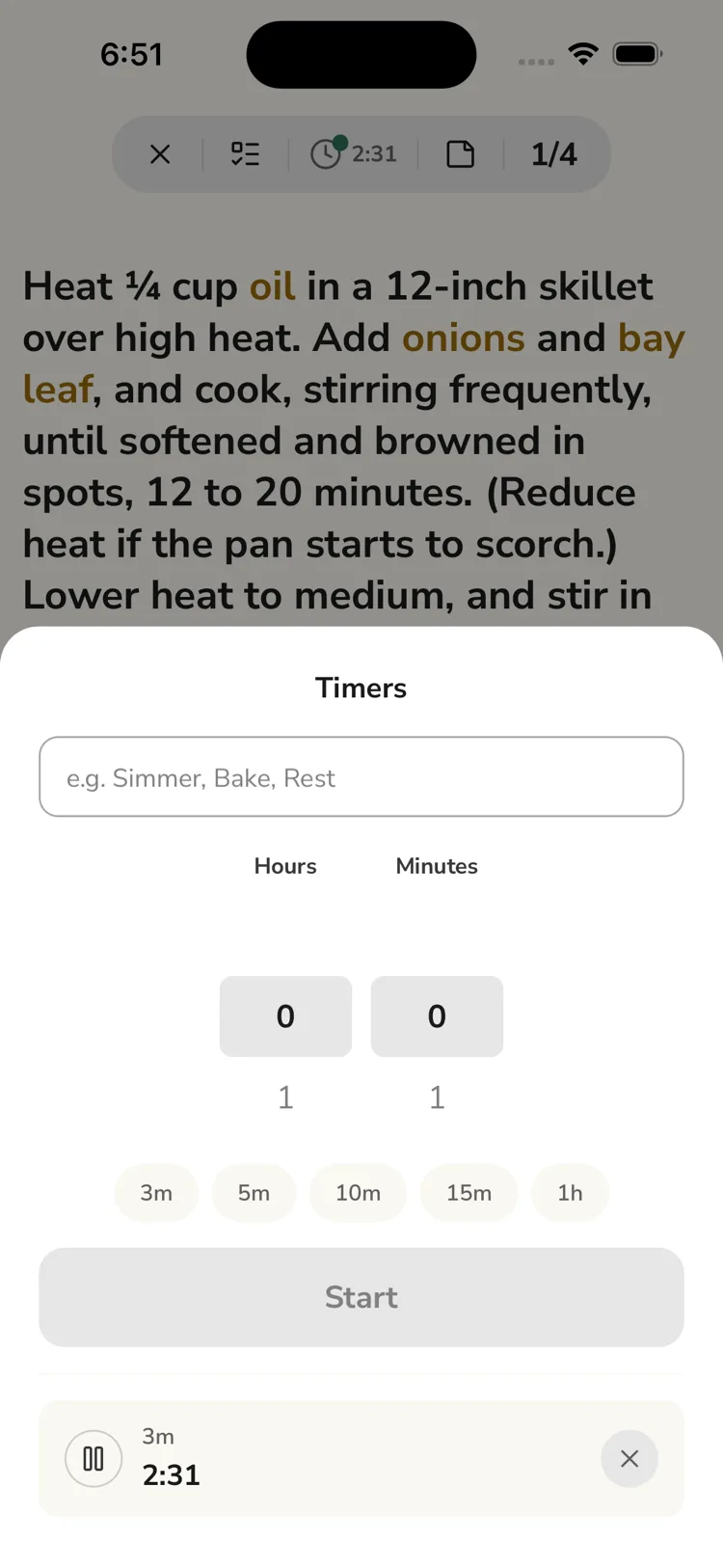
Timers are manual
ReciLore does not read "simmer for 20 minutes" from a step and start a timer for you. You add every timer yourself.
Controls
Pause and resume, add +30 seconds, snooze +2 minutes when it rings, or cancel.
Alerts
When a timer finishes it plays a sound and buzzes. If you've switched apps or locked the phone, you still get a "Timer done" notification.
Questions this answers
- How do I add a timer while cooking?
- Does ReciLore start timers from the recipe steps automatically?
- Can I pause or snooze a timer?
- Do timers alert if I leave the app?
Still need help?
Email us at [email protected] and we'll get back to you.