The "✓ In pantry" mark on recipes
Updated 2026-09-13
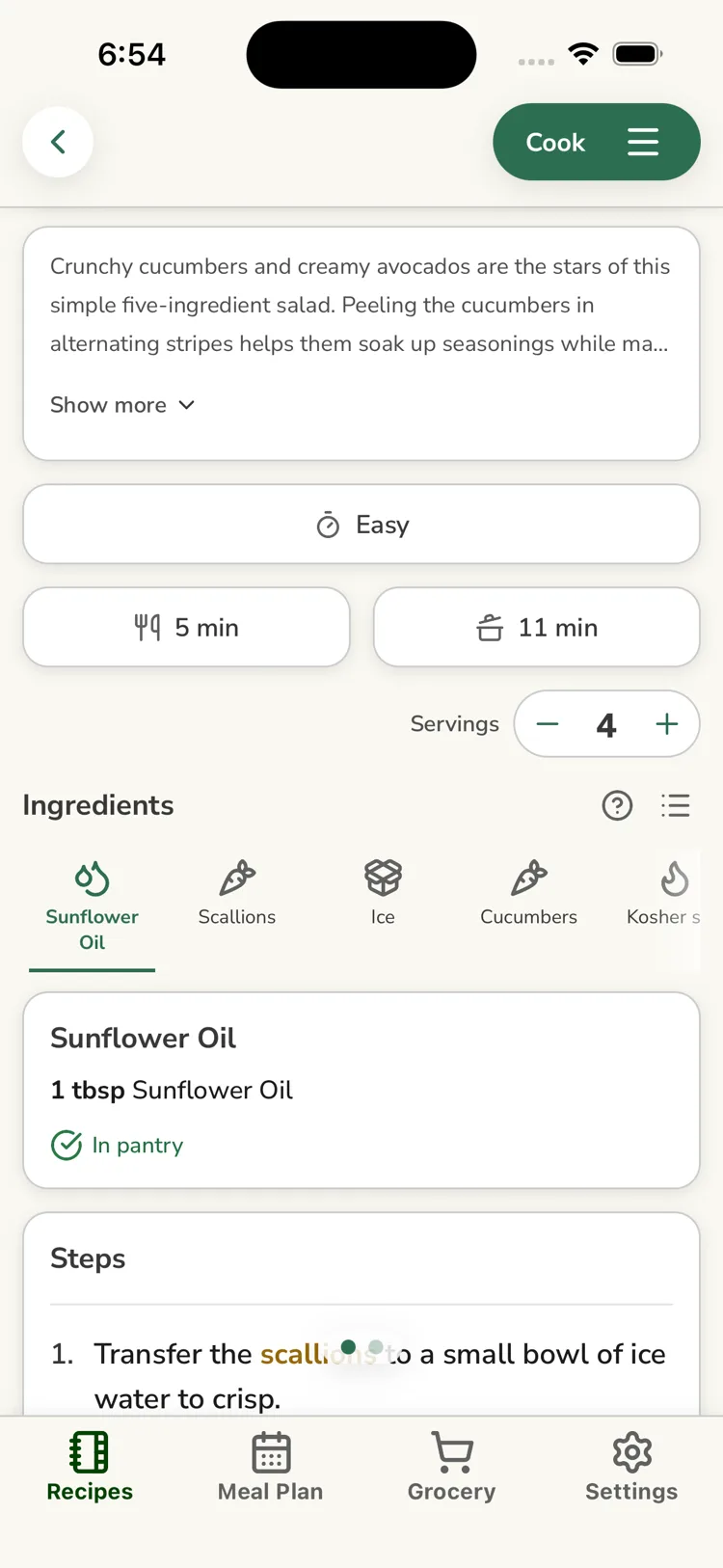
When you open a recipe and use the Focused Ingredients view, each ingredient that matches one of your household's pantry staples — directly, or through a close-variant match like "Olive Oil" covering "Extra Virgin Olive Oil" — shows a small ✓ In pantry tag. It's a read-only reminder that you probably already have that item.
Why an ingredient you have isn't marked
The tag only appears when ReciLore is confident the recipe ingredient and your staple are the same thing. It deliberately doesn't guess. Common reasons a match doesn't show:
- The recipe lists a more specific form than your staple (for example "buttermilk" when your staple is "milk").
- The ingredient text is unusual and didn't resolve to a known ingredient.
- You haven't added that ingredient as a staple yet.
How the matching works: How ReciLore matches ingredients.
Don't see any tags?
The "✓ In pantry" tag only appears in the Focused Ingredients display, not the plain List display. Switch display modes with the toggle next to the ingredients heading, or in Settings → Preferences → Ingredient Display.
Questions this answers
- Why do some recipe ingredients show "✓ In pantry"?
- Why isn't an ingredient I have marked "In pantry"?
- Where does the "In pantry" tag show up?
Still need help?
Email us at [email protected] and we'll get back to you.