Searching and filtering recipes
Updated 2026-09-13
The search box on the Recipes tab matches across a recipe's title, ingredient names, tag names, cuisine, protein, dietary tags, and source link — so "chicken", "Thai", "birthday", or "oats" all work.
Filters
Open the filter controls to narrow the list by:
- Tried — recipes you've cooked (or haven't).
- Loved by — pick members; shows recipes everyone you picked has Loved.
- Cuisine, Protein, Carb, and Dietary tags.
- Ingredients — has (or doesn't have) a given ingredient.
Search text and filters combine — search "pasta" with the Vegetarian dietary filter to get just those.
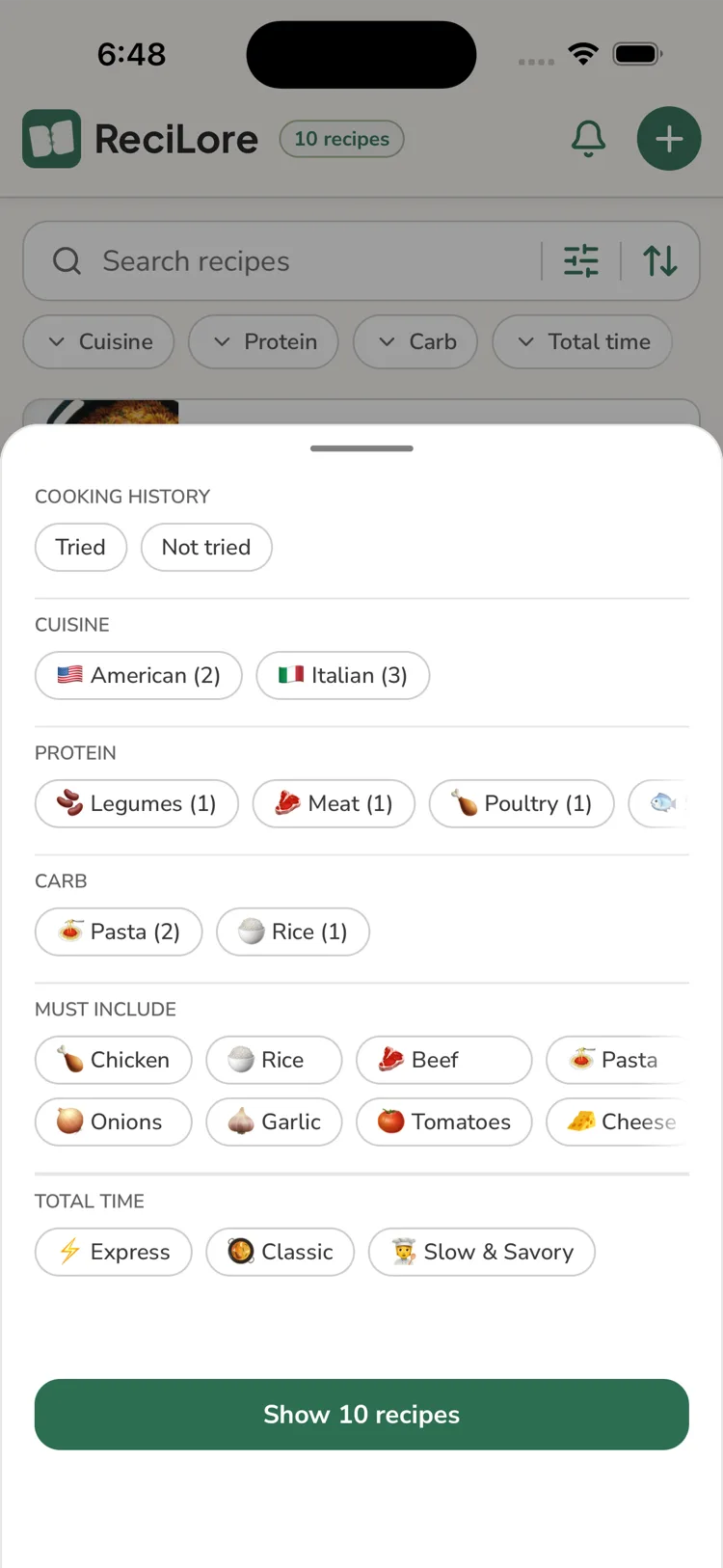
Protein is multi-select per recipe — a recipe with both chicken and bacon matches either Poultry or Meat. Protein and Carb are set automatically from the recipe's ingredients (not chosen by hand); Cuisine and Dietary are still picked when editing a recipe — see Editing a recipe.
Why a filter is missing
Cuisine, Protein, Carb, and Dietary only appear once your library has enough variety in that category to make filtering by it useful — a library that's entirely, say, Italian recipes won't show a Cuisine filter. Add recipes with a wider mix and the filter appears on its own.
Questions this answers
- What does recipe search look at?
- How do I filter my recipes?
- Can I find recipes everyone loves?
- Why don't I see a Cuisine, Protein, or Carb filter?
Still need help?
Email us at [email protected] and we'll get back to you.