Creating your account
Updated 2026-09-13
Open ReciLore and choose Continue with Google or Continue with Apple. That's the whole sign-up — there is no separate registration form.
Why only Google and Apple
ReciLore doesn't have its own email-and-password system. Signing in through Google or Apple means there's no ReciLore password to forget, and no separate email address to verify.
What ReciLore receives
Only your name and email address from the provider you choose. Your sign-in session is stored in your device's secure keychain.
What happens next
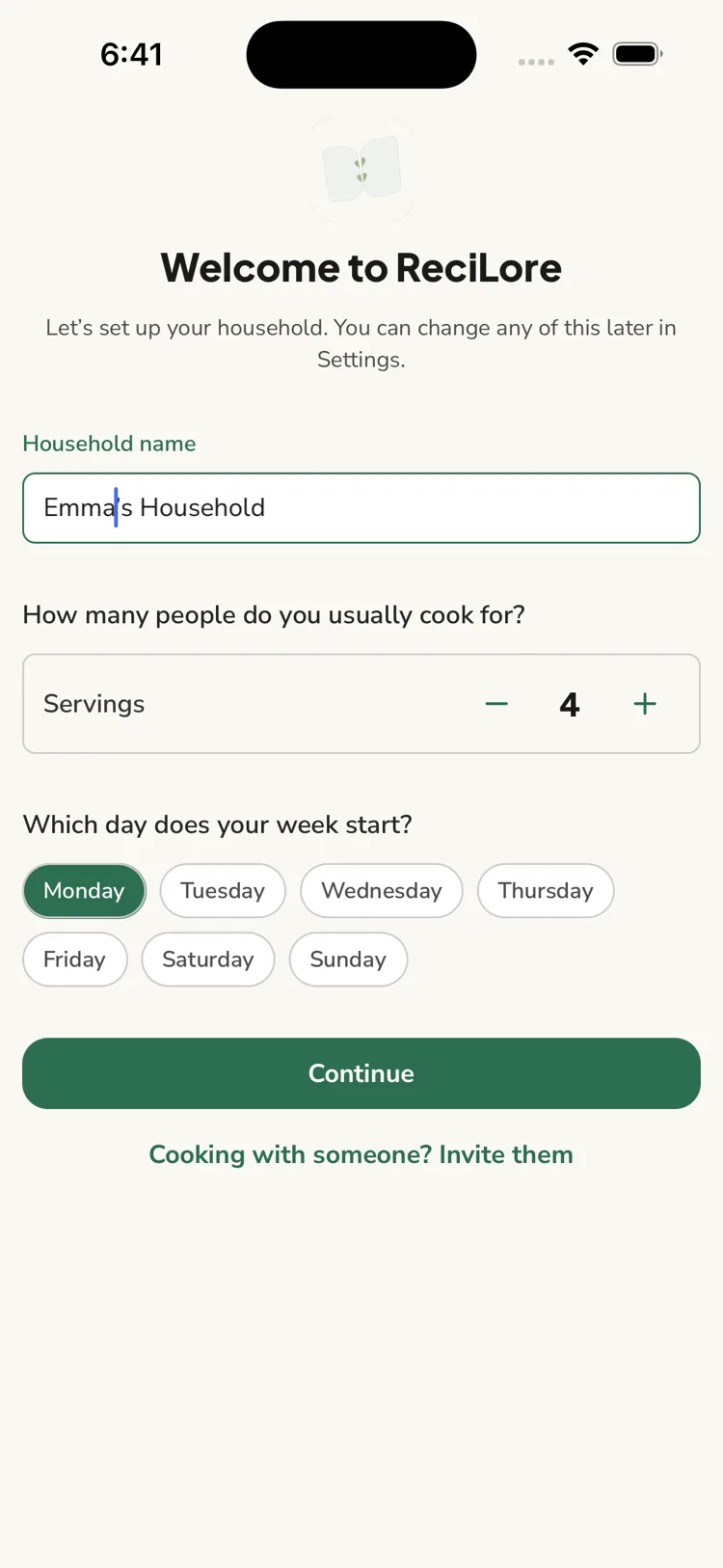
The first time you sign in, ReciLore sets up your profile and a household for you, then shows a short welcome screen: name your household, choose how many people you usually cook for, and pick the day your week starts. You can invite someone from there too. Tap Continue and you land on the Recipes tab.
If you joined through an invite link, you skip this and go straight to the shared household — see Your household, explained.
Questions this answers
- How do I sign up for ReciLore?
- Why can I only sign in with Google or Apple?
- Do I need to verify my email?
- What does ReciLore get from Google or Apple?
Still need help?
Email us at [email protected] and we'll get back to you.